> ## Documentation Index
> Fetch the complete documentation index at: https://checkly-422f444a-sync-playwright-reporter-changelog-v1-13-1.mintlify.site/llms.txt
> Use this file to discover all available pages before exploring further.
# Importing Traces To Checkly
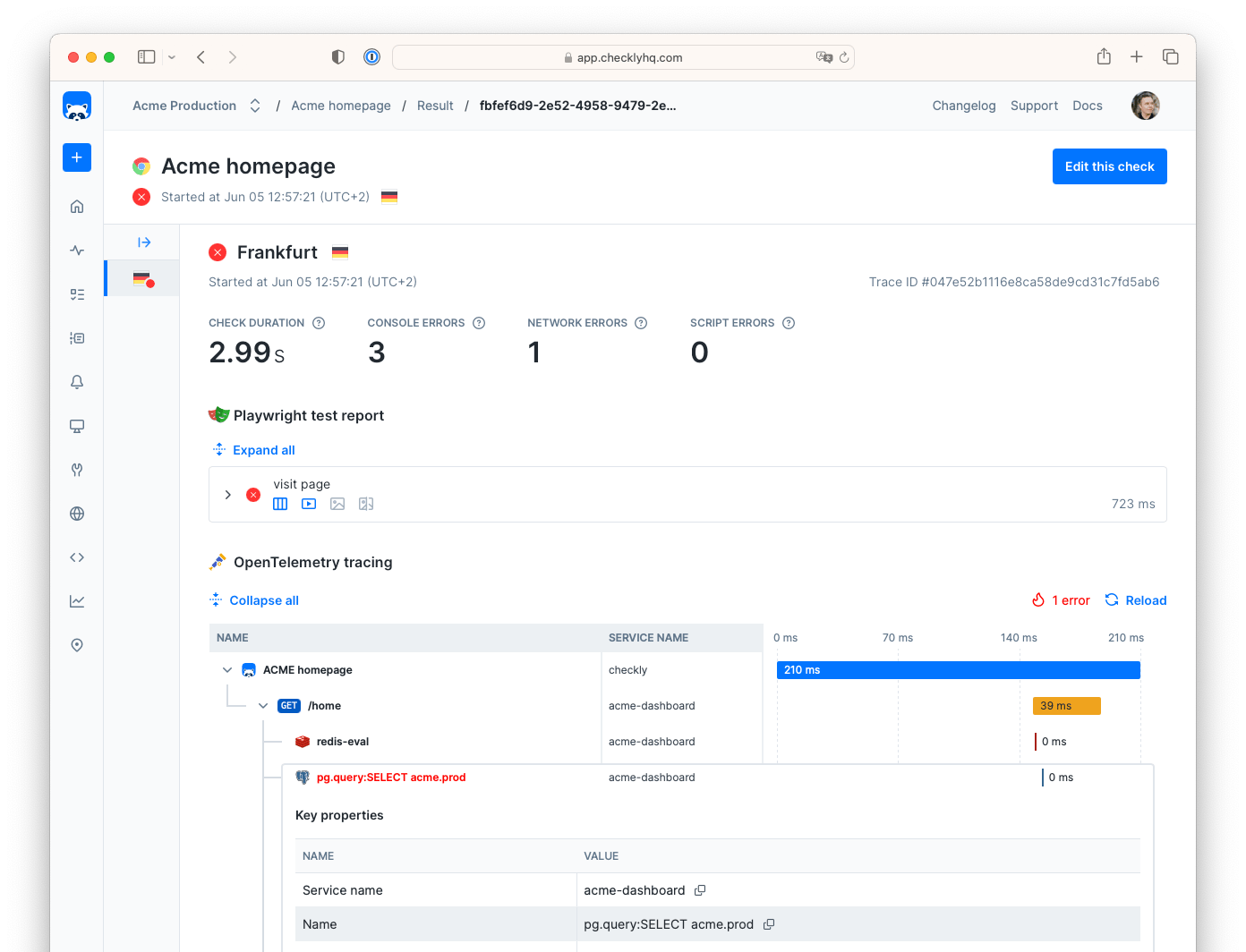
Send your infrastructure OpenTelemetry traces to Checkly. Inspect and drill down to why a check failed or degraded.
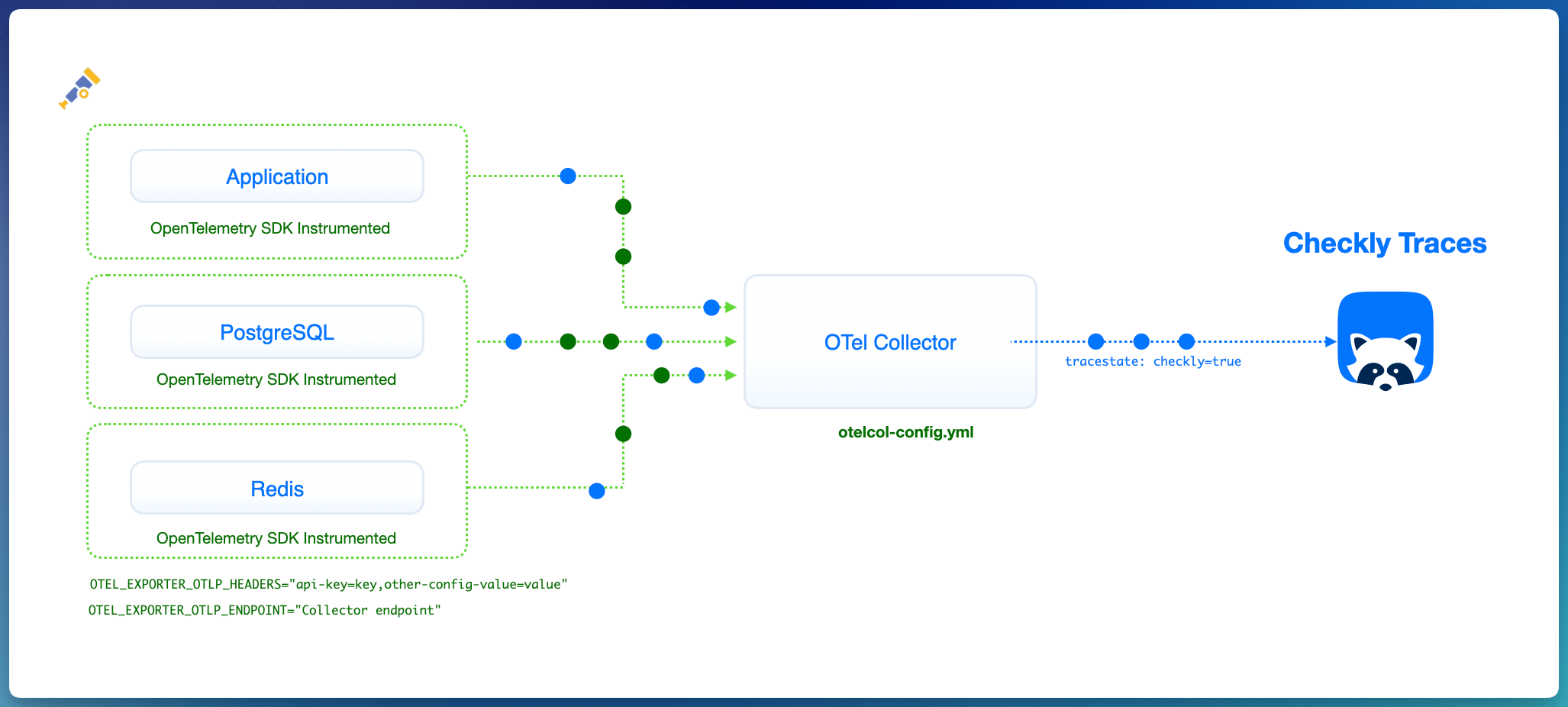 In [the Traces tab, in your Checkly account settings](https://app.checklyhq.com/settings/account/traces):
1. Flip the toggle to import traces in the [Traces settings page](https://app.checklyhq.com/settings/account/traces).
2. Get the trace endpoint URL and the API key. Provide them to your OpenTelemetry collector so that it sends traces back to Checkly.
In [the Traces tab, in your Checkly account settings](https://app.checklyhq.com/settings/account/traces):
1. Flip the toggle to import traces in the [Traces settings page](https://app.checklyhq.com/settings/account/traces).
2. Get the trace endpoint URL and the API key. Provide them to your OpenTelemetry collector so that it sends traces back to Checkly.
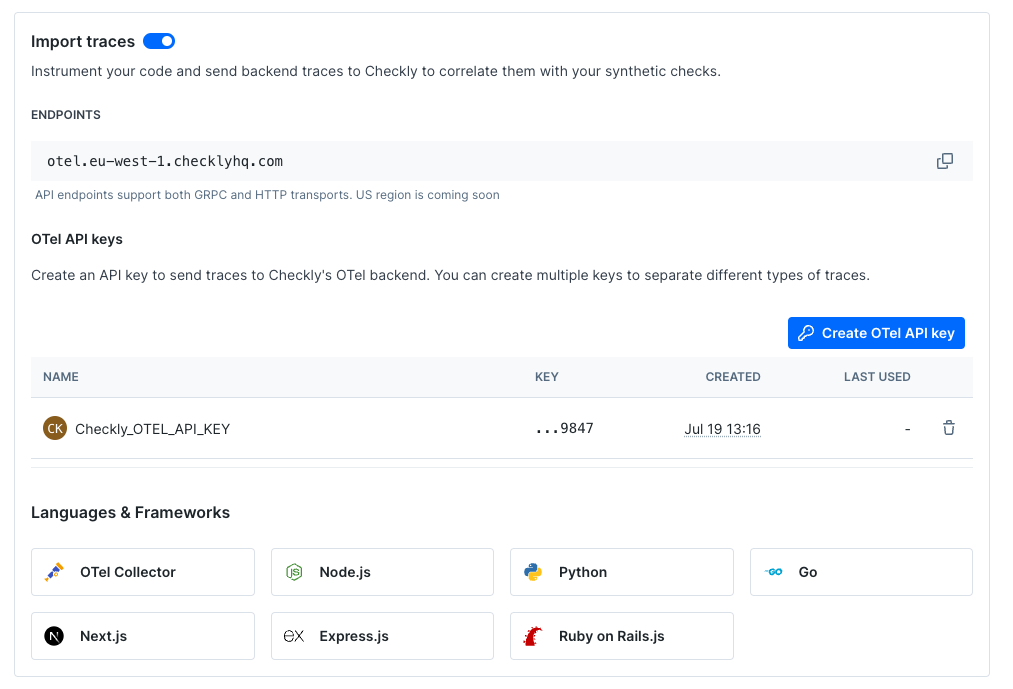 3. Set up your OpenTelemetry collector to only send relevant traces to Checkly. [Setting up the OpenTelemetry Collector](/resolve/traces/import/open-telemetry)
After you've set this up, you should start seeing traces on the [Traces page](https://app.checklyhq.com/traces). Moreover, when opening a check, you'll see a Traces section within it.
3. Set up your OpenTelemetry collector to only send relevant traces to Checkly. [Setting up the OpenTelemetry Collector](/resolve/traces/import/open-telemetry)
After you've set this up, you should start seeing traces on the [Traces page](https://app.checklyhq.com/traces). Moreover, when opening a check, you'll see a Traces section within it.